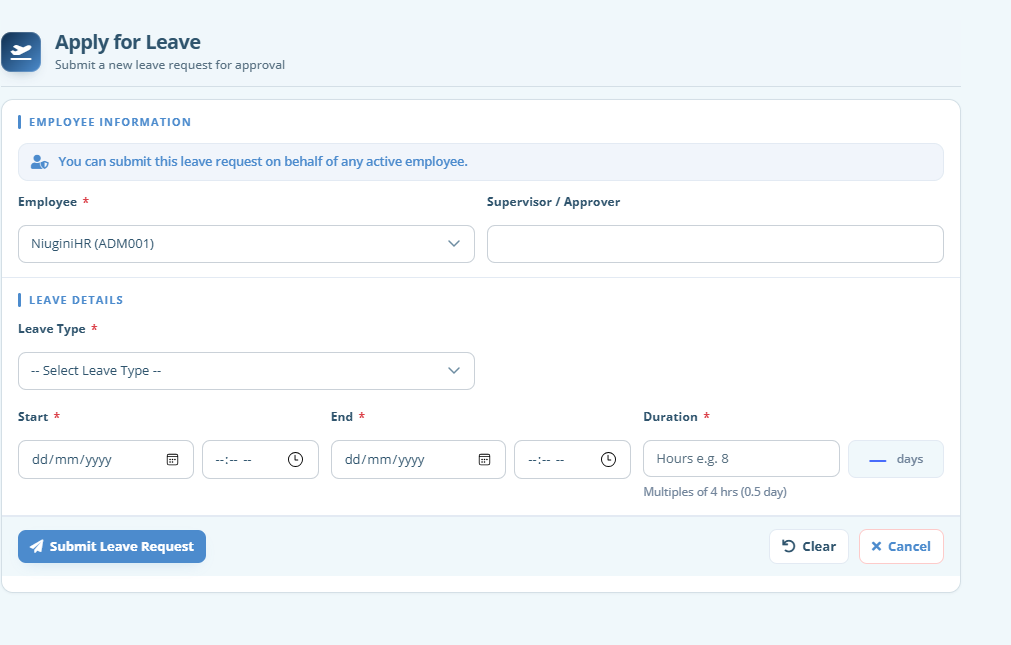
Set up how leave is earned and what each person is entitled to. Balances stay visible so staff know what they can take before they apply.
Apply and approve
Employees submit dates and leave type. Managers see pending requests, approve or reject, and the decision stays on the record — no missing forms in a drawer.
Connected to attendance
When leave is approved, timesheets can pick it up automatically for those days, so payroll does not pay ordinary hours on a day that was leave.
FAQ
Questions about Leave
Some of the quick information about this module.
Which leave types are supported?
Common types such as annual leave (AL), personal leave (PL) and leave without pay (LWP) are part of the workflow. Your administrator configures how entitlements work for your organisation.
Can staff see their own leave balance?
Yes. Employees with access can see their balances and history so they apply with accurate information instead of guessing.
What if two people apply for the same week?
Managers see requests as they come in and decide based on coverage. The system keeps the application trail; rostering judgement stays with the manager.
Does approved leave affect timesheets?
Yes. Approved AL, PL and LWP can auto-fill on hourly timesheets for the relevant days, consistent with how public holidays are handled.
Can we report on leave taken?
Leave history is kept against each employee so you can review what was taken, when it was approved, and follow up on patterns or entitlements.
See Leave in your own workspace
Create your organisation in minutes. Tax tables and PNG payroll foundations are ready when you are.