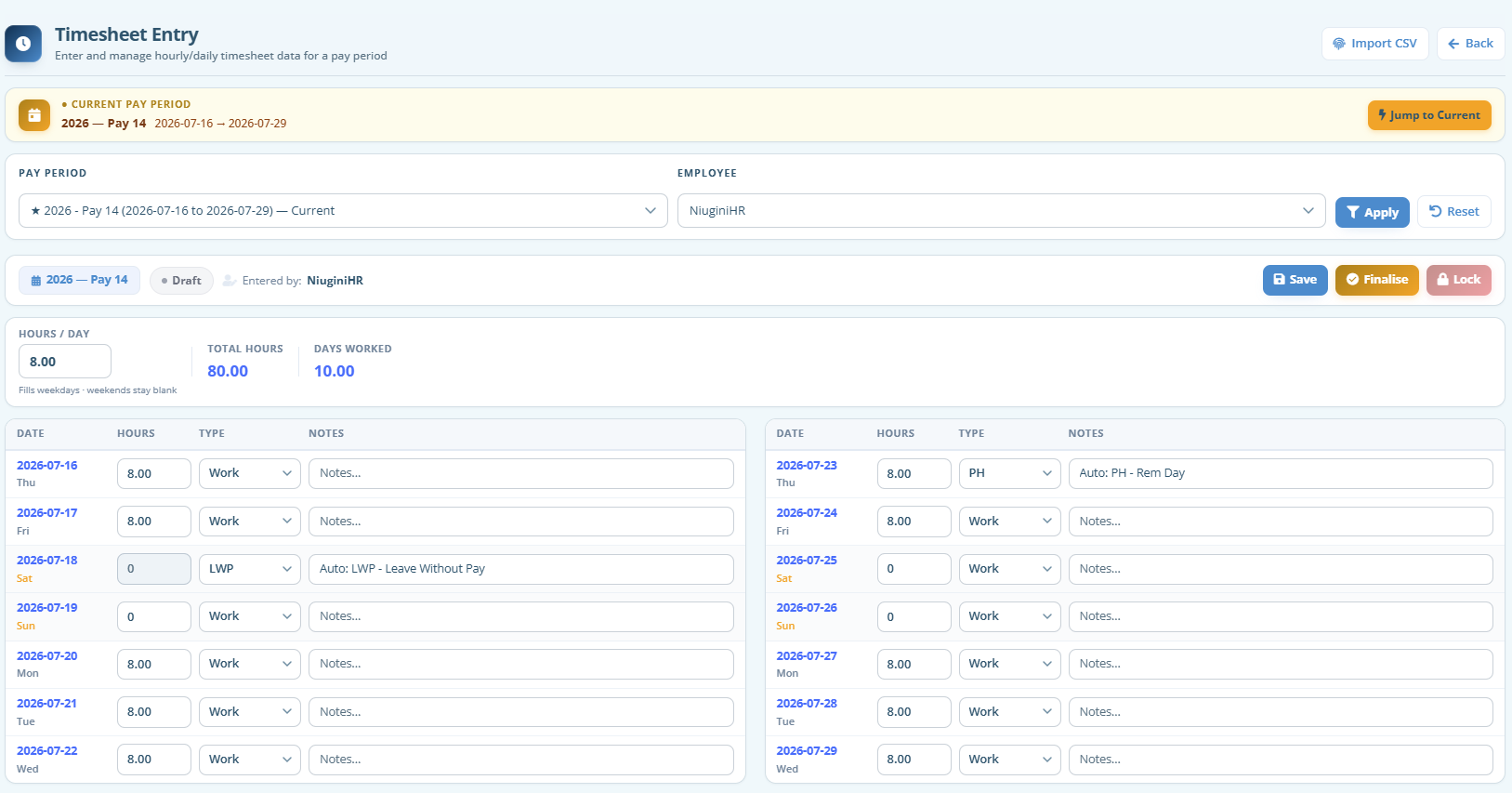
Public holidays and approved leave auto-applied where set up
Biometric CSV import for hourly attendance
Draft → Final → Locked workflow for a clean handoff to payroll
Manager review before hours are locked
Enter hours once
Staff or supervisors record hours against a pay period. Weekend days, absences and notes stay visible so reviewers know what happened on the ground.
From the clock to the sheet
If you use a biometric device, export attendance as CSV and import into hourly timesheets. Map rows by employee code, choose how to handle existing sheets, and save as Draft for review.
Prepared for payroll
Once sheets are finalised and locked, payroll can use the approved hours. No parallel spreadsheet, and no wondering which version is correct.
FAQ
Questions about Timesheets
Some of the quick information about this module.
Do we use daily or fortnightly timesheets?
Both are supported. Many organisations use hourly (daily) sheets for casual or shift work, and fortnightly sheets for salaried or rostered staff. You choose what fits each team.
Can we import from our biometric machine?
Yes. Admins and managers can import a CSV of daily totals or clock-in / clock-out punches into hourly timesheets for a pay period. Employee codes must match your staff records.
What happens to public holidays and leave on a timesheet?
Where public holidays and approved annual, personal or leave-without-pay are set up, NiuginiHR can auto-fill those days so you are not marking them by hand every fortnight.
Who approves timesheets?
Managers review sheets; once finalised they can be locked so payroll is not working from a moving target. Locked sheets are protected from casual edits.
Can we export timesheets?
Yes. Export tools are available so you can keep offline copies or share summaries outside the system when needed.
See Timesheets in your own workspace
Create your organisation in minutes. Tax tables and PNG payroll foundations are ready when you are.