
Employees
Employee records
Everything you know about your people, kept in one place. No more flipping through folders or searching old emails to find a contract or a phone number.
At a glance
Everything about your staff, kept in one place.
- Each person’s details, history and status on one screen
- IDs, clearances, contracts, CVs and certificates on file
- Laptops, phones and vehicles logged against who has them
- Pay split across two or three bank accounts if needed
- Training and certificates recorded as people grow
01
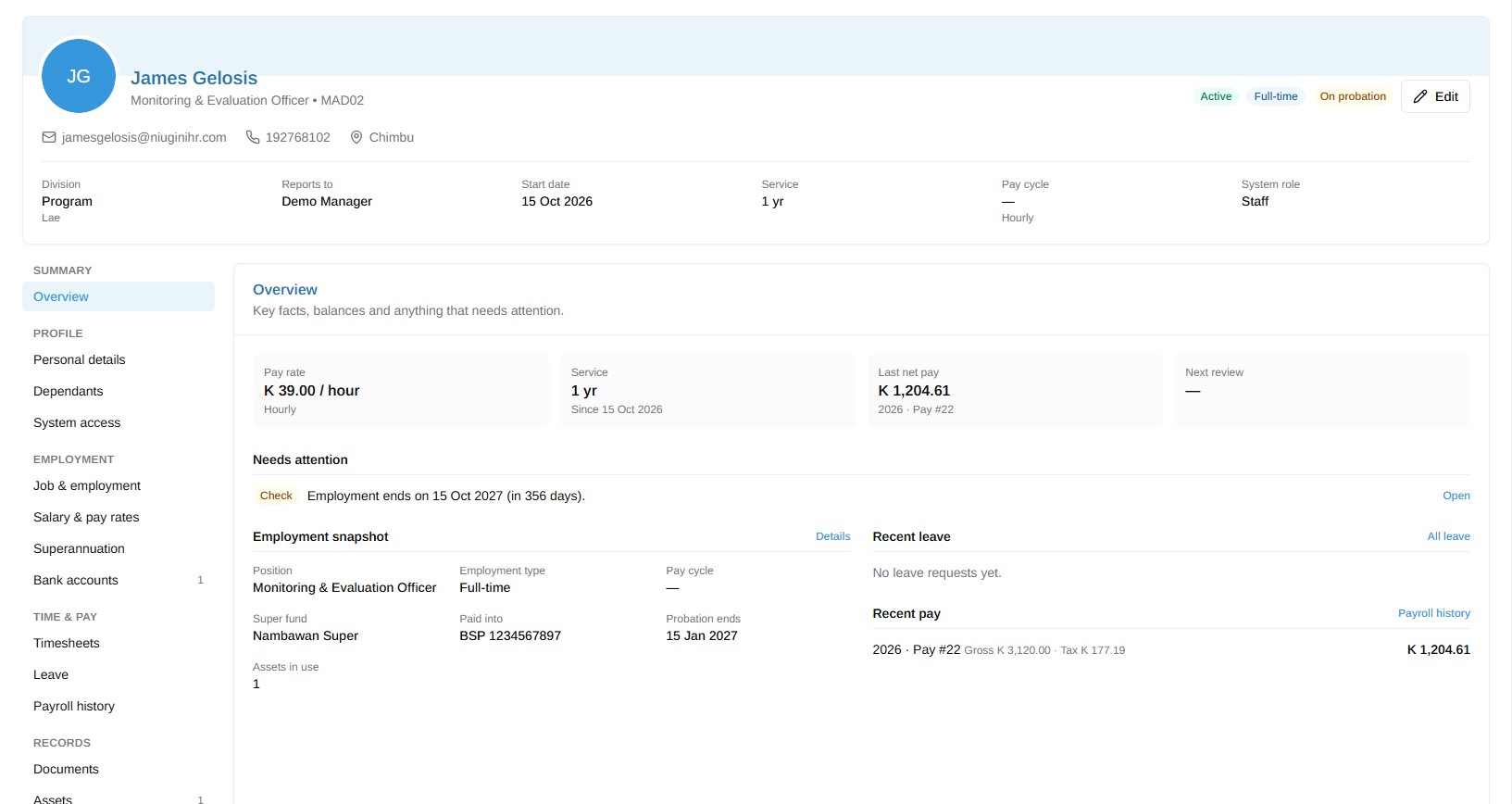
Employee Profile
Open someone’s profile and it’s all there: their details, their history with you and where they stand today. One screen, nothing to piece together.
02
Documents
IDs, police clearances, contracts, CVs and certificates all live on the employee’s file. When someone asks for a copy, you know exactly where to look.

03
Employee Assets
Know who has the laptop, the work phone, the car keys or the access card. When someone leaves, you have the list ready instead of relying on memory.

04
Bank Accounts
Keep each person’s bank details on their record. If someone wants their pay split across two or three accounts, you can set that up for them.

05
Training
Every course and workshop your staff attend, with the certificates to show for it. Over time you can see how each person has grown.

FAQ
Questions about Employees
Straight answers to the things people ask us most.
Still have a question? Talk to usCan we import existing employee lists?
Yes. Admins can bring employees in from a spreadsheet, so you don’t have to type everyone in by hand. You can export a list too, for audits or reports.
Who can see employee personal information?
You decide, through roles and permissions. Admins and the managers you choose can see HR records. Everyone else only sees what you allow, which is usually their own profile and payslips.
Does each employee need a login?
No. Only people who actually use the system need one. You can keep payroll-only workers on file without giving them a login.
Can we organise people by branch and department?
Yes. Set up your branches and departments in Settings and assign people to them. Filters, timesheets and leave stay tidy as you grow across Port Moresby, Lae or anywhere else.
Where do employee documents live?
On the employee’s own record, inside your organisation’s secure workspace. They’re never mixed with another company’s files.
Bring your staff records together
Start a free trial and set up your organisation in a few minutes. PNG tax tables are already loaded, and free training is included.