
Onboarding & Offboarding
A proper start, and a clean finish
Checklists for every new starter and every leaver, with each task given to the right person and a date it’s due. Onboarding and offboarding come with Employee Records at no extra charge.
At a glance
A proper start, and a clean finish.
- Your own checklists for starters and leavers
- Tasks for HR, IT, the supervisor or the new starter
- Documents collected straight onto their file
- Company property checked back in when someone leaves
- Reminders, and a certificate of service at the end
01
Your Own Checklists
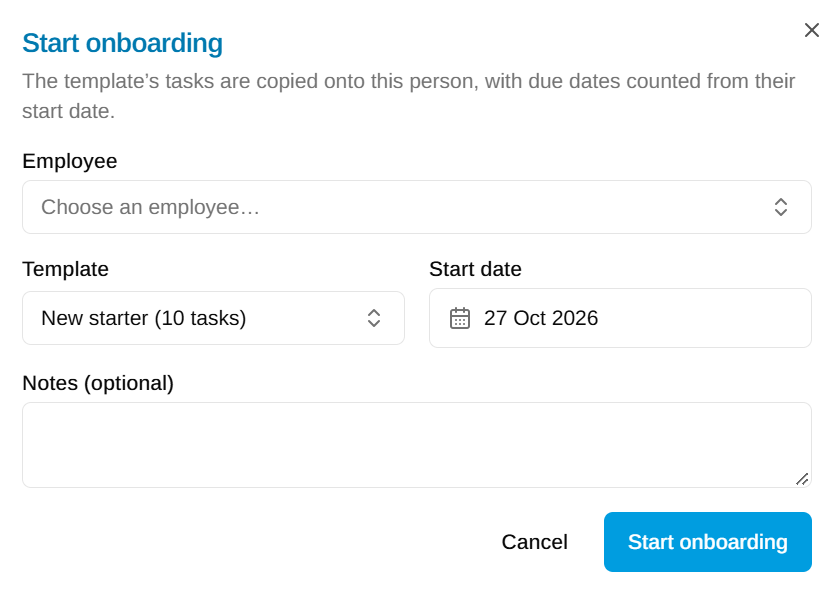
Start with our “New starter” and “Employee leaving” checklists, then make them yours: the tasks, who does each one (HR, the supervisor, the employee or a named person such as your IT officer) and how many days before or after the start or last day it’s due.
02
Onboarding
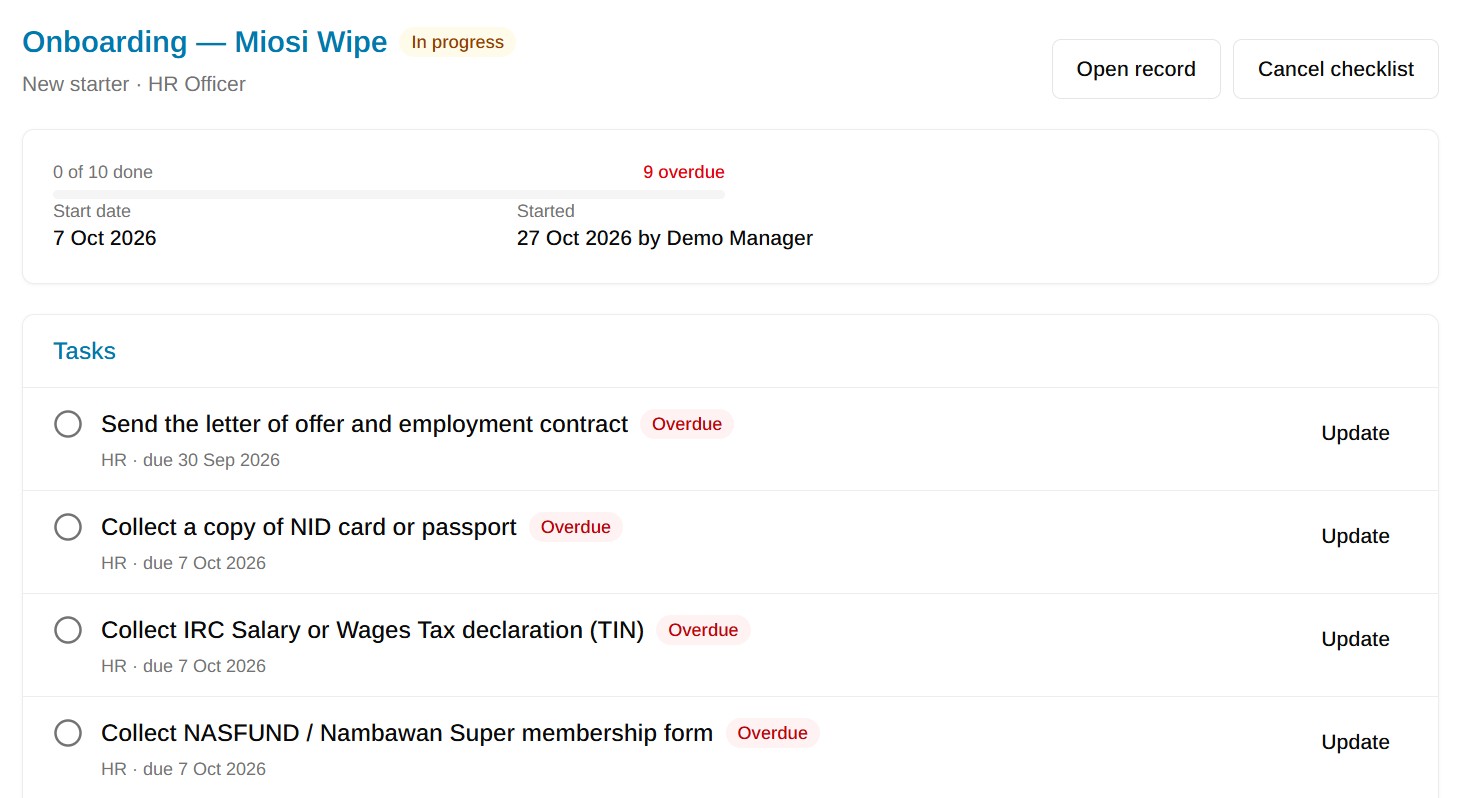
Start a checklist when someone is added, or straight from Hire in the ATS. Everyone can see what’s done and what’s late, so the contract is signed, the laptop is ready and the induction is booked before day one.
03
My Tasks
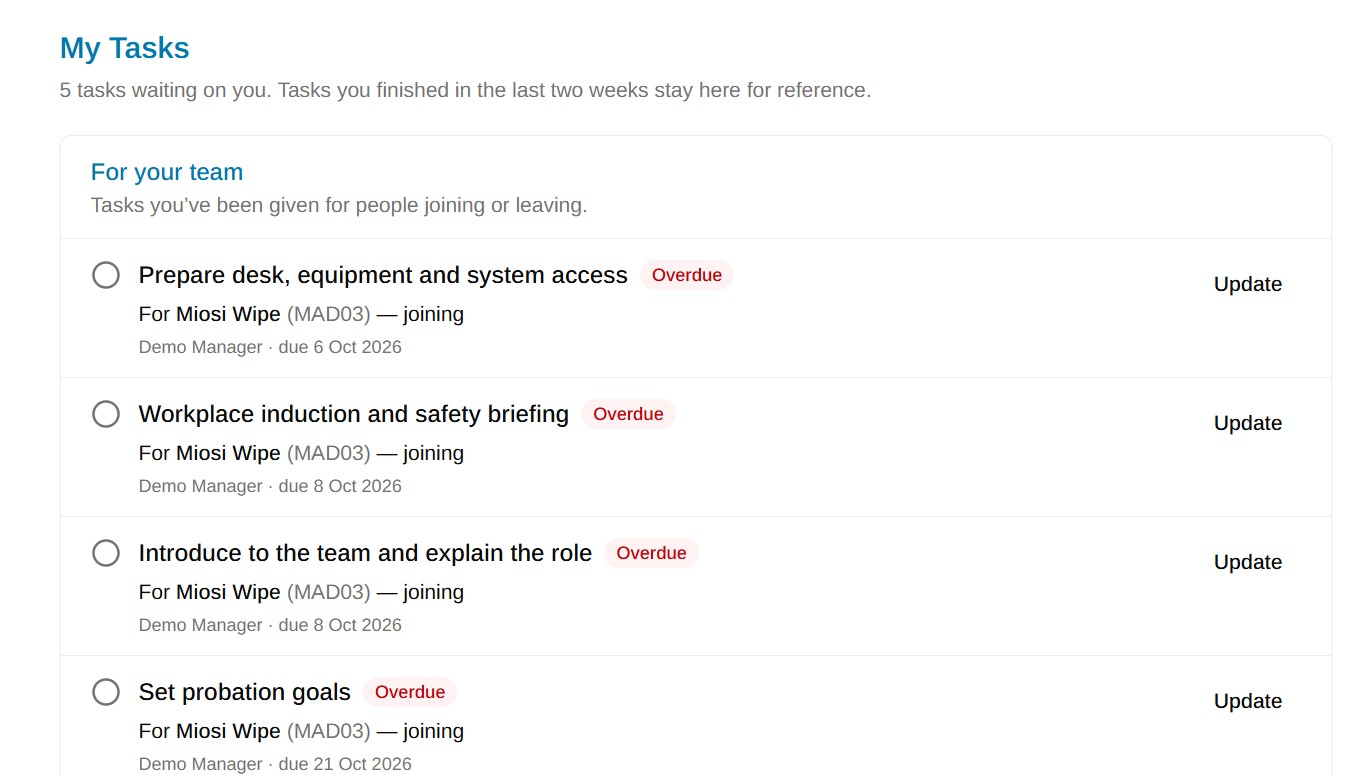
Each person sees the tasks given to them under My Tasks, with reminder emails when something is due or overdue. Tasks that ask for a document, like an ID or a bank letter, file the upload straight onto the employee’s record.
04
Offboarding
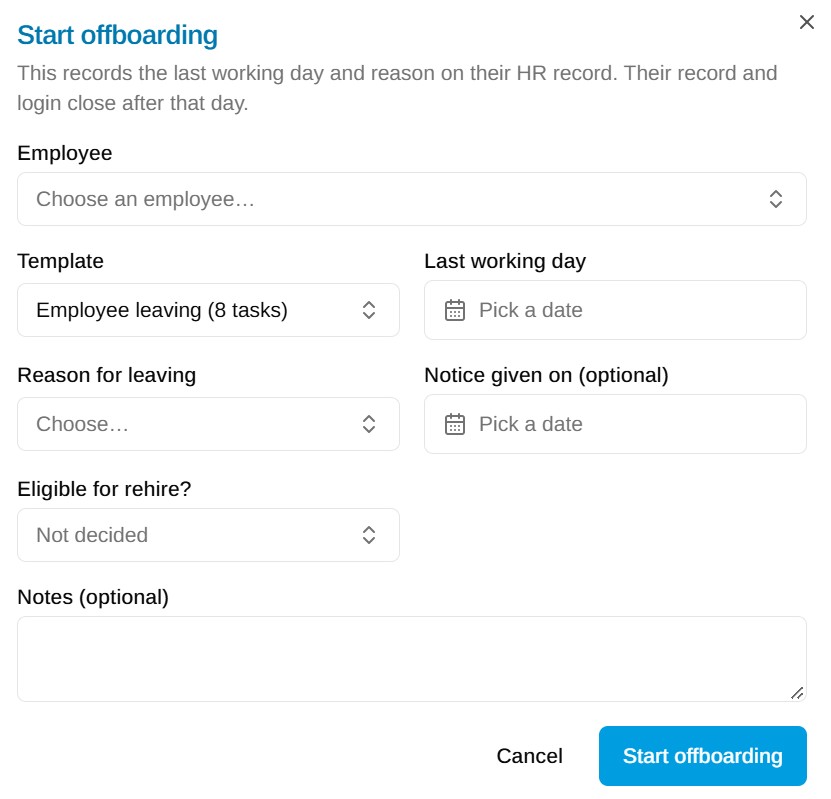
Record the last working day and the reason for leaving. The laptop, phone and keys issued to them are listed so each can be checked back in, and their login stops working after their last day.
05
Certificate of Service
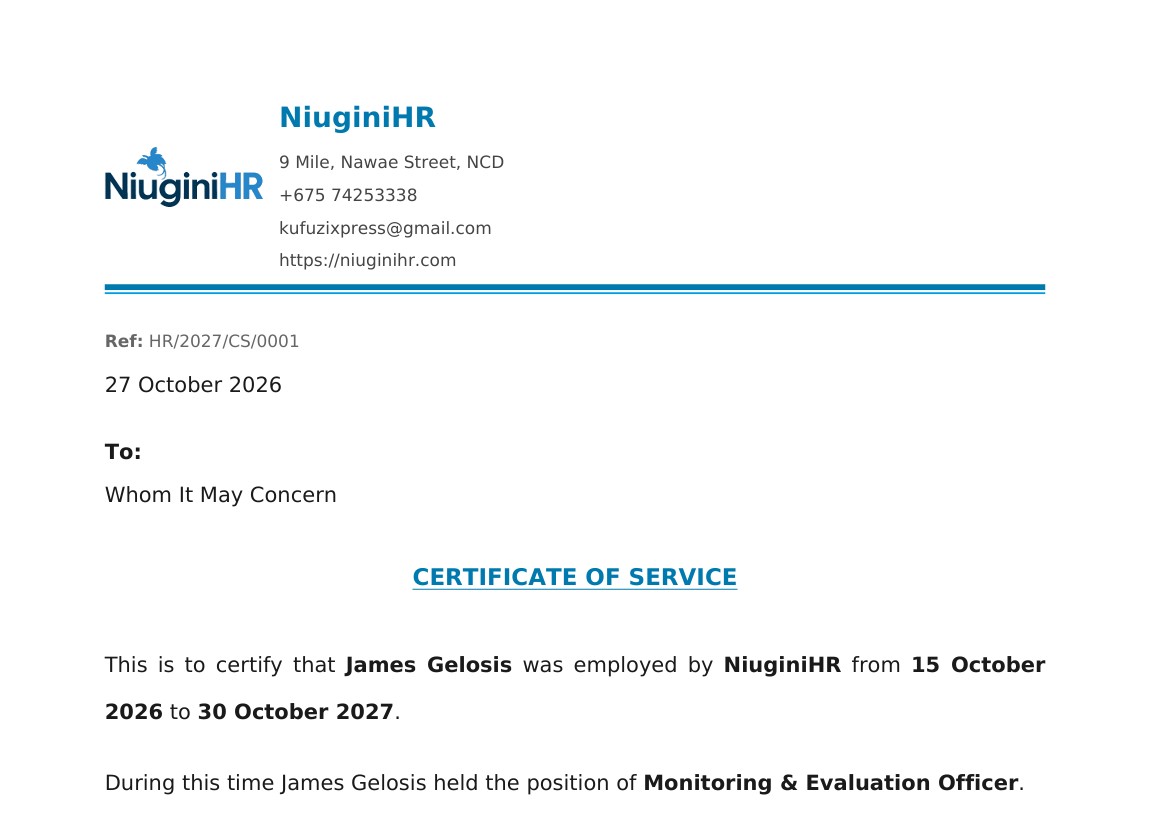
Print a certificate of service on your letterhead with their dates and position, ready to sign and hand over on their last day.
FAQ
Questions about Onboarding & Offboarding
Straight answers to the things people ask us most.
Still have a question? Talk to usDoes onboarding cost extra?
No. Onboarding and offboarding come with Employee Records at no extra charge.
Can we change the checklists?
Yes. NiuginiHR starts you with a “New starter” and an “Employee leaving” checklist. Change the tasks, who does them and when they’re due, or add your own checklists for different roles.
Can the new starter do some tasks themselves?
Yes. Give a task to the employee and they’ll see it under My Tasks when they sign in, for example uploading their ID or their bank details. What they upload lands on their record.
What happens when someone leaves?
Starting offboarding records their last working day and the reason they left. The company property they were issued is listed so it can be checked back in, and their login stops working after their last day.
Give every new starter a good first week
Start a free trial and set up your organisation in a few minutes. PNG tax tables are already loaded, and free training is included.