
Payroll
Fortnightly payroll, made simple
Run fortnightly pay for your whole team in one go. NiuginiHR works out the tax and super for you, so you spend your time checking the figures, not calculating them.
At a glance
Fortnightly pay, worked out for you.
- IRC Salary and Wage Tax rates and dependant rebates built in
- Salary sacrifice that stays within the 40% of gross limit
- Pay setup per person for tax, NASFUND, Nambawan Super, NCSL and NSLS
- Bank, NASFUND and Nambawan Super reports ready to download
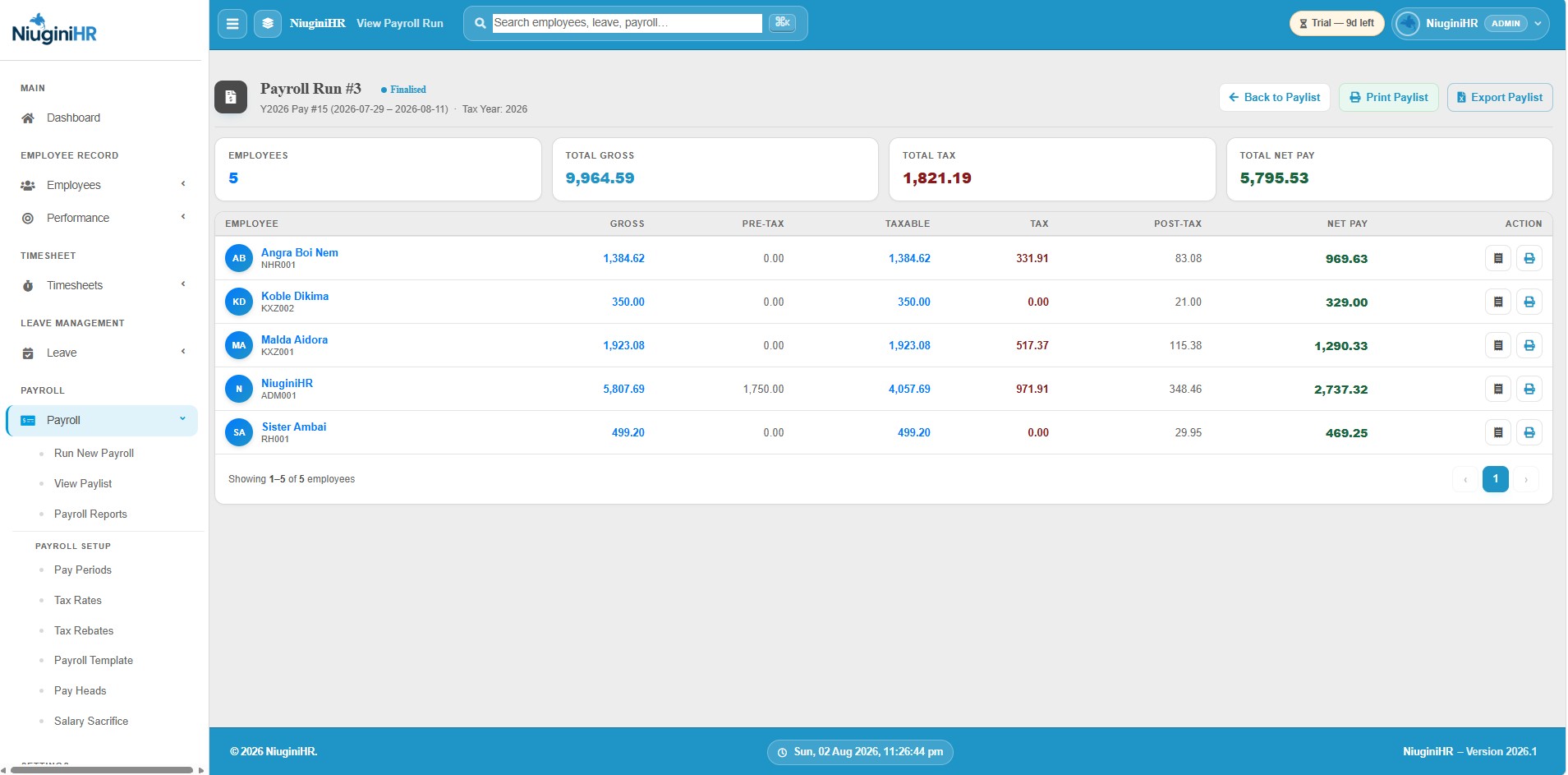
- Payslips that show staff exactly what they earned and what came out
01
Tax Tables
The IRC Salary and Wage Tax rates and dependant rebates live in the system. When the rates change, HR updates them once and every pay run after that uses the new figures.
02
Salary Sacrifice
If you offer salary sacrifice for rent, school fees or travel, NiuginiHR handles it for you and won’t let it go over the 40% of gross limit.

03
Employee Pay Templates
Each employee has their own pay setup covering tax, NASFUND or Nambawan Super, NCSL, NSLS and anything else that applies to them. Set it once and it’s used every fortnight.

04
Reports
Your bank, NASFUND and Nambawan Super reports are ready to download whenever you need them. No more building them by hand.

05
Payslips
Staff can open their own payslips and see exactly what they earned and what was taken out. That means fewer questions at the HR desk.

FAQ
Questions about Payroll
Straight answers to the things people ask us most.
Still have a question? Talk to usIs NiuginiHR ready for IRC tax?
Yes. Payroll is built around PNG fortnightly pay and IRC tax tables. You keep the rates and rebates up to date in the system, and every pay run uses them. When the tables change, it’s always worth checking the new requirements with your accountant.
Does payroll use timesheets?
Yes. Finalised timesheets feed straight into the pay run, so nobody re-enters hours or leave on payday.
Can we generate bank files?
Yes. After each pay run you get the bank payment file to lodge with your bank, along with payslips for your staff.
How do NASFUND and Nambawan Super work?
You add the super fund details in Settings, then choose the right fund for each employee. Payroll takes care of the rest. Just make sure the rates match your agreements with the funds.
Who can run payroll?
Only the people you give payroll access to, usually an Admin or a Manager. Everyone else sees their own payslip, not the whole pay run.
Run your next payroll with us
Start a free trial and set up your organisation in a few minutes. PNG tax tables are already loaded, and free training is included.